
Under "Help" on the FoodFocus menu line you will find three groups of help including:
- Program Information- This includes use of the menu line, keyboard and mouse. Even if you are very familiar with computers, you will probably benefit from knowing the keyboard shortcuts which save you time. If you are not comfortable with a mouse, you can reduce your frustation by paying attention to keyboard alternatives.
- Nutrition Information- You can select a display of information about each of the basic foodgroups and about individual nutrients. Typically the benefits of nurtrients and typical sources would be described. It is possible for you to edit this information to ensure that it is suited to your purposes (doing so is beyond the scope of this tutorial but the procedure is described in the FoodFocus manual). Brief information on caffeine, alcohol and aspartame is also included.
- Health Information- You can select information on a healthy diet, nutrition-related diseases and exercise, as well as calculate Body Mass Index. It is also possible for you to edit some of this information to ensure that suited to your purposes (once again, doing so is beyond the scope of this tutorial but the procedure is described in the FoodFocus manual).
Pictographs display information about both food groups and nutrient content. By clicking on pictographs, you get information related to that portion of the pictograph:
- Rainbow Pictograph- When you click on the rainbow, the help information for the basic food group represented by that part of the rainbow will be displayed.
- Other Pictographs- Other pictographs indicate the extent to which the nutrient content of foods you have selected meet nutrition guidelines. When you click on these pictographs, the help information associated with the specific part of the pictograph will be displayed. This is an easy way to help you become familiar with the picotographs and, providing that the content of the help displays is appropriate, it is also an easy way to get some hints on dealing with a variation from nutrient guidelines as indicated by the pictograph.
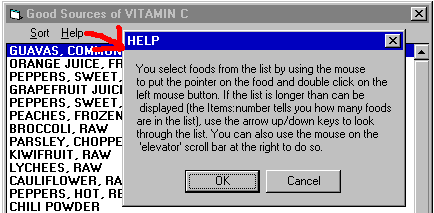
Many FoodFocus windows will give you an opportunity to select related help information.